
Internal tools and checklists
Tools for entering information, assigning tasks, recording completion, and tracking outstanding work.
I build focused internal tools and organize business information. If assignments, records, or recurring tasks are difficult to manage, I can help define a useful first project.
You do not need a technical specification. Describe the problem, what you use today, and what you need to do differently.
Tools for entering information, assigning tasks, recording completion, and tracking outstanding work.
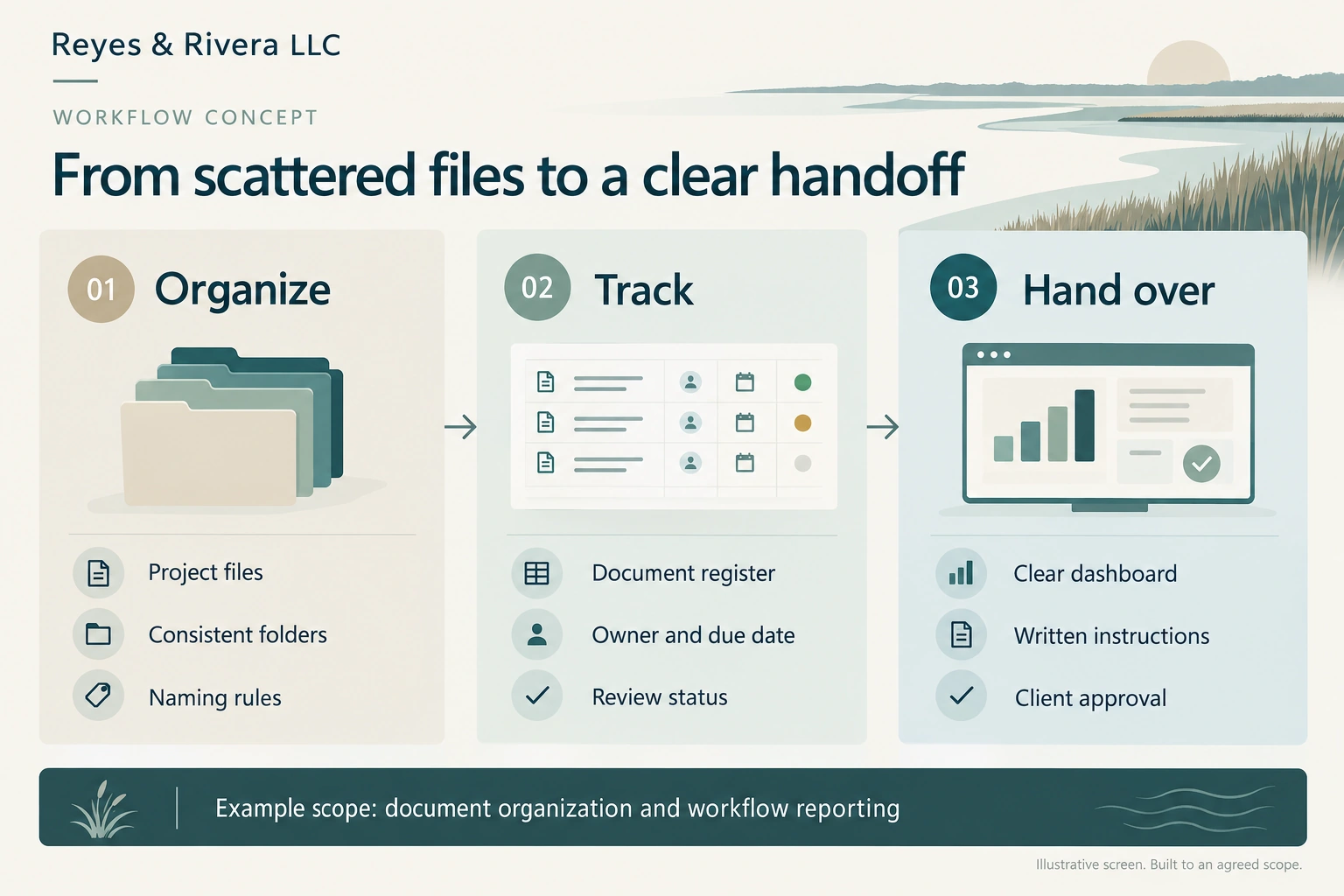
Consistent folders, naming rules, document indexes, and tracking registers that make business records easier to navigate.
Clear views of assignments, deadlines, and outstanding items using information supplied by your business.
Custom software and digital products, with a closer look at how they work.
Custom software for cleaning operationsI built CleanCheck for a cleaning business to organize assignments, crew reports, owner observations, and outstanding actions in one browser workspace.
Employees can see their assignments and record their work. The owner can review reports and track what still needs attention.
Screenshots of the working local application using generic customer and crew labels. Open an image for a closer look.
Assignments, crew reports, owner review status, and open follow ups appear together. A crew report remains distinct from an owner’s recorded review.
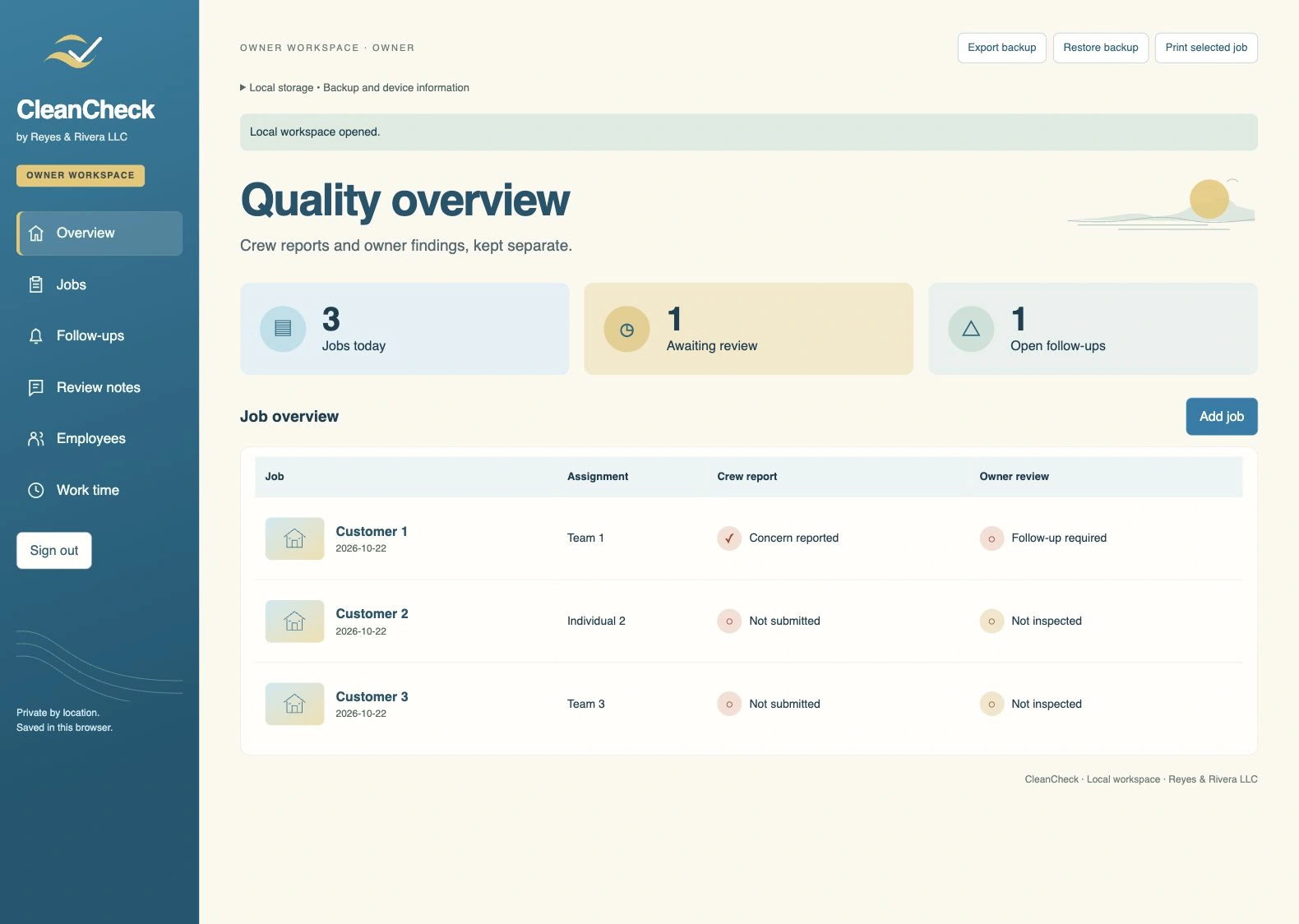
The employee view shows assigned houses and tasks, work time controls, and access to the crew report.
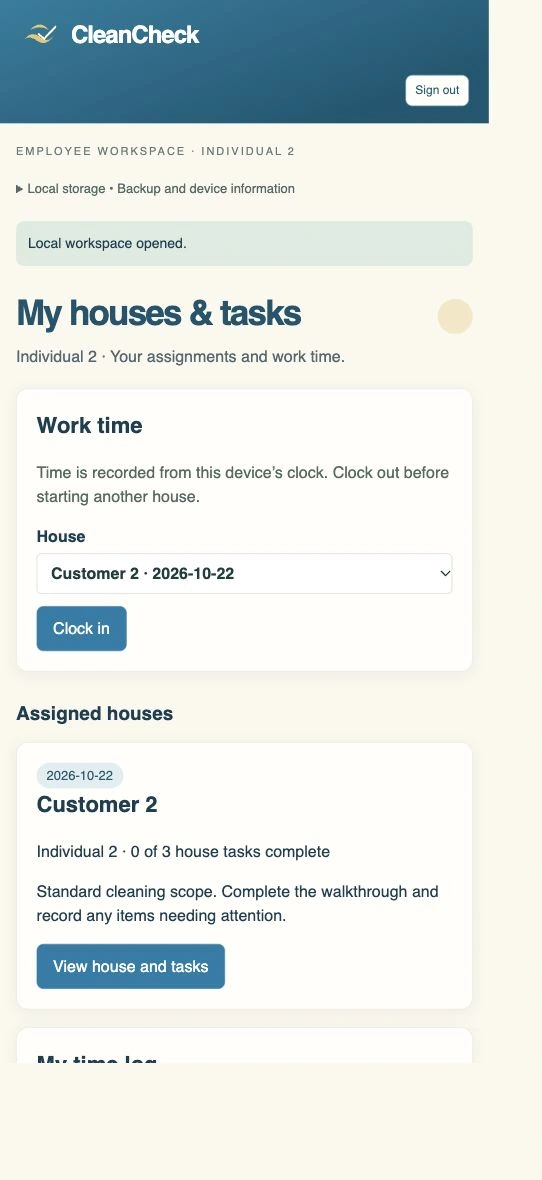
The wider layout presents the owner overview, navigation, assignments, and review status.
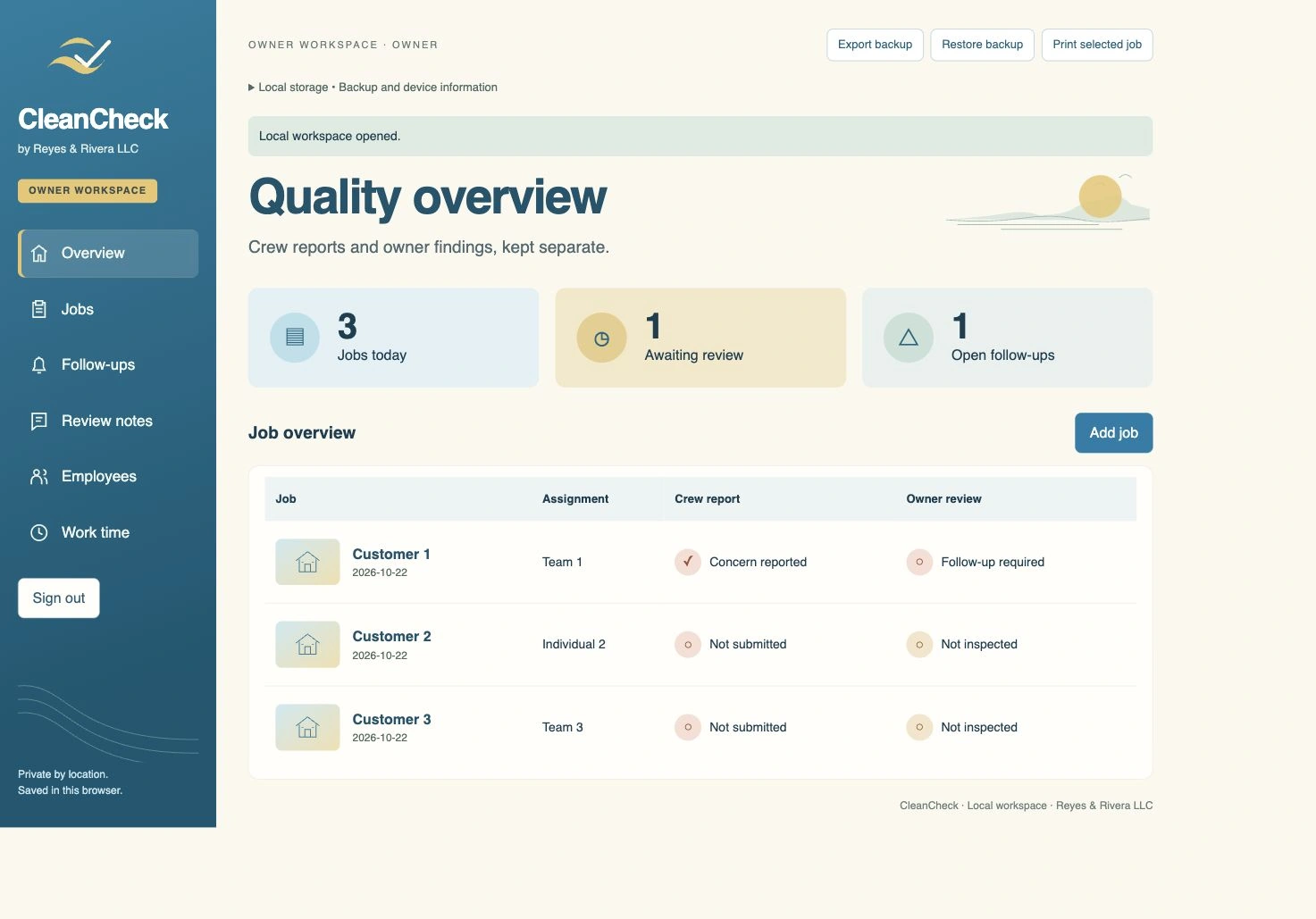
The owner overview displays three assignments with separate crew report and owner review statuses. The employee screen shows assigned work and time controls. The tablet layout shows the owner workspace at a wider browser size.
CleanCheck keeps assignments, reports, and follow ups in one local workspace. Records are saved in the browser, with backup files for manual transfer between devices.
Devices do not sync automatically. Owner and employee profiles organize the workspace without password protected accounts.
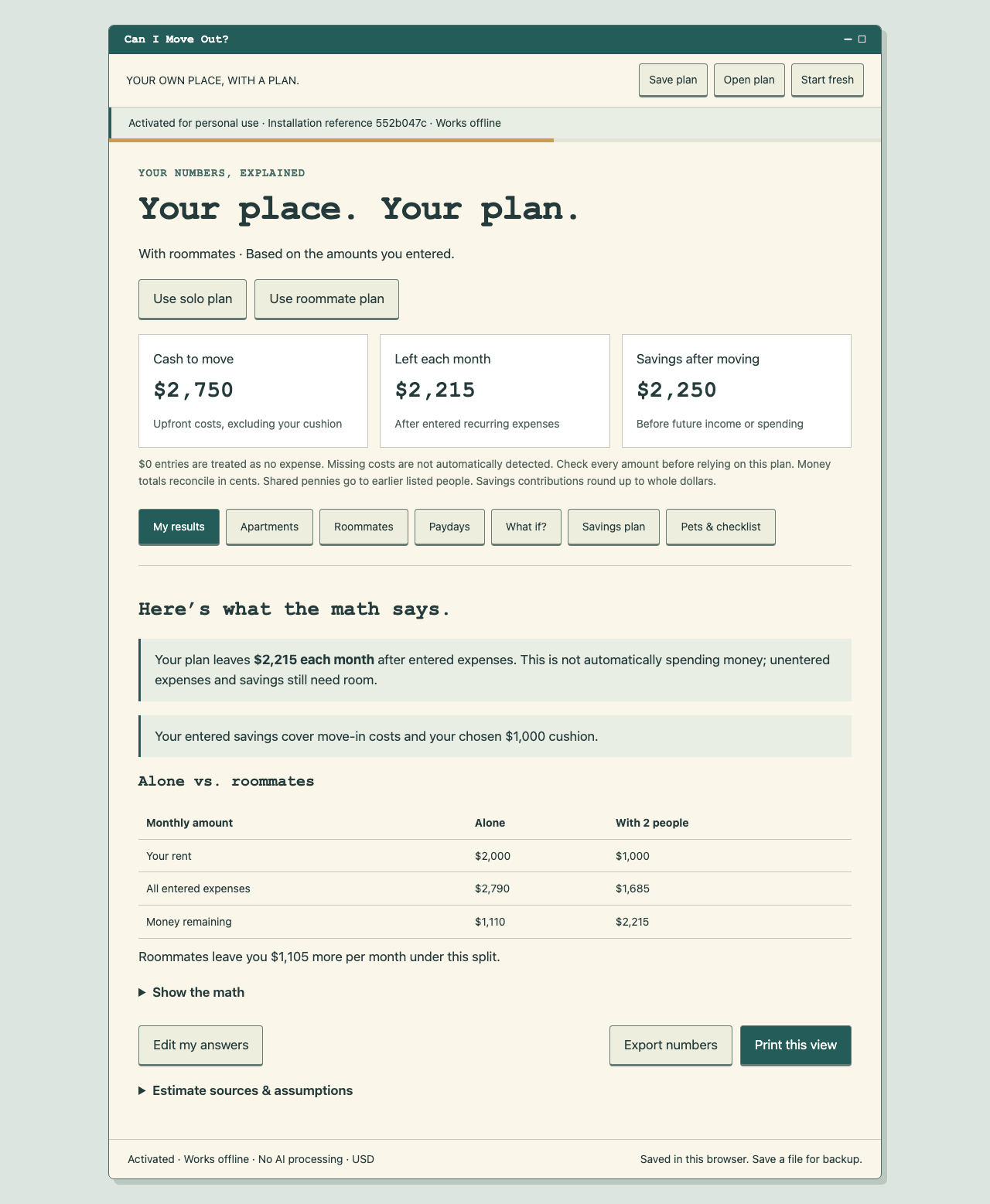
Compare living alone with sharing a home. Plan your moving costs, monthly budget, and savings in one desktop browser tool.
One payment. No subscription. Windows and Mac desktop browsers. Initial online activation, then offline use.
Email the task you want to improve, what you use today, who needs the result, and any important deadline.
Before work begins, you and I agree on the required information, devices, data updates, and handling of existing files.
Hosting, third party costs, ownership, source files, and ongoing support or maintenance are addressed in the project terms.
Keep confidential files and passwords out of the first email.
The workflow graphic is an illustration created with AI assistance. The CleanCheck screenshots come from the local application and use generic customer and crew labels. The Can I Move Out? preview uses sample planning figures.
The examples do not disclose private customer or employee records or provide access to a cleaning company’s workspace.
This website presents Reyes & Rivera LLC services, project information, and sample images. It does not provide access to private business workspaces or collect project submissions through a form.
The hosting provider may process technical request information to deliver and secure the website. If you email me, I receive the address and information you send and use them to respond.
The About page loads an embedded Spotify player only when you choose to load it. Spotify then receives a connection from your browser and processes information under its privacy policy.
Keep confidential records, passwords, and access credentials out of an initial inquiry.
© 2026 Reyes & Rivera LLC for the original written copy and presentation. Displaying these materials does not grant permission to reuse the company’s branding or original written materials.
Questions: hello@reyesandrivera.com.
Notice updated October 24, 2026.